
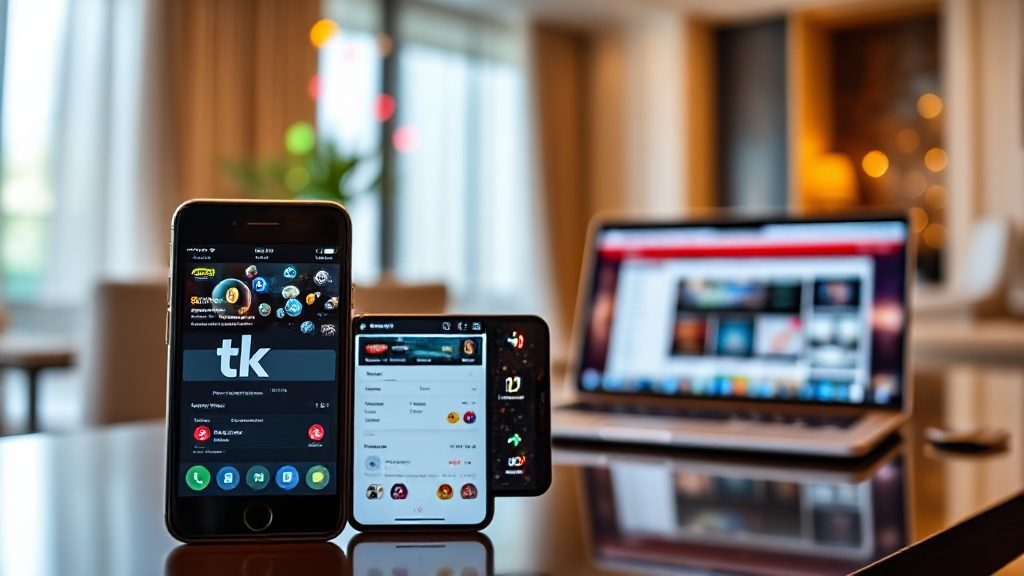
Browser or App: Two Ways Into tk999
Most people who use tk999 end up with both a browser tab and an installed app without ever deciding which one they actually prefer. One gets opened out of habit, the other sits on the home screen, and the choice is never really made. This comparison is for anyone who wants to settle that question. Rather than measuring raw speed, it judges the two formats on three criteria that matter more in daily use: convenience, consistency, and control.
Speed tests tell you very little about which format suits you, because both load quickly on a decent connection. What separates them is how they fit into your routine, how reliably they behave across sessions, and how much say you have over updates, storage, and sign-in. Those are the things you notice after a week, not after a single login.
Convenience: Which Format Fits Your Day
Convenience is about friction, and friction depends on when and where you use the platform. A browser tab is available on any device with a browser, including a borrowed laptop or a friend’s phone, with nothing to install. An installed app asks for a one-time download but then opens in a single tap and keeps your session closer at hand.
Where the browser wins
The browser is the better choice when you use the platform occasionally, switch between devices, or want to avoid adding another icon to your phone. It is also the safer option on shared or work devices, where installing a gaming app may not be appropriate. You can bookmark the site, sign in, and close the tab without leaving anything behind.
Where the app wins
The app pulls ahead for regular users who check in several times a day. Opening it is faster than typing a URL or finding a bookmark, and notifications can bring you back when something you follow is about to start. On mobile data, an app can also be more economical because it does not reload the full page each time.
- Choose the browser if you use the platform now and then, share a device, or dislike installing apps.
- Choose the app if you log in daily, want quicker access, and are comfortable with notifications.
Consistency: Same Platform, Different Behaviour
Consistency covers how the platform behaves from one session to the next. Both formats connect to the same account and the same game catalogue, so your balance and history should match whichever way you sign in. The differences appear in the small things: how the layout adapts to your screen, how sessions expire, and how quickly updates reach you.
A browser session is tied to the tab and the device, which means you may need to sign in again after clearing cookies or switching phones. An app usually keeps you signed in until you log out, which is convenient but demands more care if the phone is shared. The app also receives updates on its own schedule, so a new feature may appear there before it reaches the mobile browser, or the reverse.
The practical point is that neither format is always ahead. If you notice a menu that looks different between the two, that is usually a rollout timing issue rather than a separate account or a fault. Give it a day or two before assuming something is wrong.
Control: Updates, Storage and Sign-In
Control is where the two formats diverge most sharply, and it is the criterion people underestimate. An installed app takes up storage, updates itself, and may request permissions for notifications or background activity. A browser tab takes no permanent space, updates silently with the website, and asks for nothing beyond the page itself.
If you value a tidy phone and predictable behaviour, the browser gives you more direct control. You decide when to visit, and closing the tab ends the session. The app trades some of that control for convenience: it manages its own updates and keeps you signed in, which is helpful until you want to step away cleanly.
Sign-in is the other control point. On the app, logging out before handing your phone to someone else is a habit worth building. On the browser, clearing the tab or using a private window achieves the same result. Neither approach is wrong, but the app requires you to remember that your account is one tap away.
Switching Between Formats Without Losing Track
Many users do not pick one format at all; they move between them depending on the day. That is fine, provided you keep a few things in mind. Your account is the same in both places, so your balance and history should follow you. What does not follow you is the session, which means you may need to sign in again when you switch.
- Sign in with the same credentials in both formats so your account stays in sync.
- Log out of the app before switching to a shared browser, and close the tab when you finish.
- Check that the app is up to date if a feature looks different from the browser version.
- Avoid running both at once on the same device if you find session prompts confusing.
If something looks out of place after a switch, the cause is usually a stale session or an app that has not updated yet. Signing out and back in resolves most of these cases, and it is quicker than reinstalling.
The Verdict: Decide by Habit, Not by Hype
There is no universal winner here, and anyone who tells you otherwise is overselling one format. The browser suits occasional users, shared devices, and anyone who wants nothing installed. The app suits daily users who value one-tap access and do not mind managing updates and sign-in. Judge the two on convenience, consistency, and control, and the right choice for your routine becomes obvious.
If you are still unsure, start with the browser for a week and note how often you wish it opened faster. If the answer is most days, install the app. If you rarely think about it, the tab is doing its job. Either way, you are using the same platform, and the format is simply the door you choose to walk through.