
A Sampling Method for Crossing Into Unfamiliar Genres
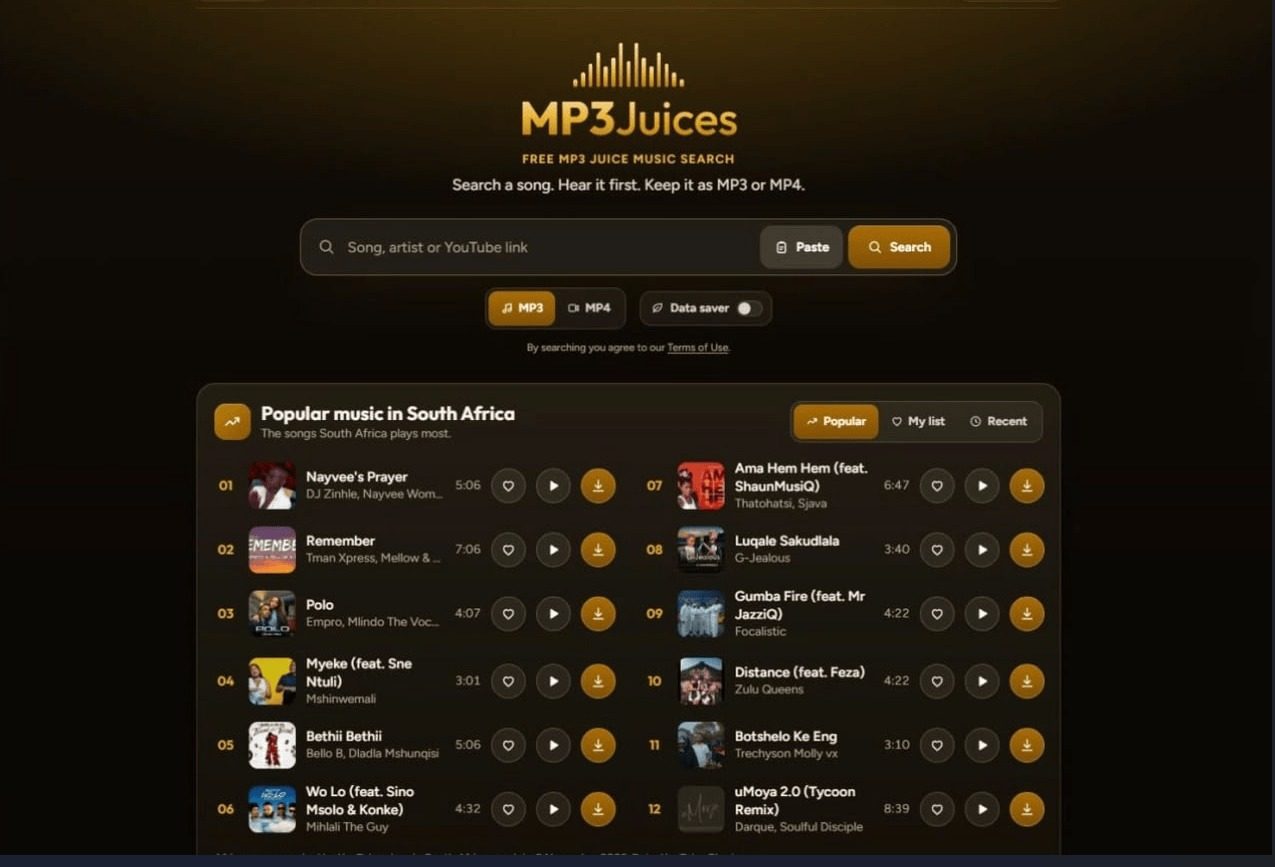
You know the feeling: every track in your playlist is a familiar room, and you can predict the next chord before it lands. The comfort is real, but so is the itch. The problem is not a lack of music; it is a lack of a repeatable way to approach the enormous catalog without drowning in it. The fix is a deliberate sampling method — a short, structured procedure you can run in an evening and repeat whenever the rut returns. A free music search platform such as mp3juices.art makes this practical because you can preview songs before committing to a download, with no account required.
The intent behind this guide is simple: you want to do something — cross a genre boundary on purpose — rather than read another list of recommendations. The method below turns curiosity into a sequence of small, low-risk decisions.
Why a Method Beats a Recommendation List
Recommendation lists hand you answers before you have questions. A method gives you a procedure you can rerun with different inputs, so the skill stays with you after the novelty fades. It also protects you from the two common failure modes of genre exploration: sampling one famous track, deciding the whole style is not for you, and quitting; or downloading dozens of files you never listen to twice.
The core idea is sample wide, then go narrow. You cast a deliberately broad net across a genre’s surface, listen briefly, and only then follow the one or two threads that genuinely caught your ear. Each stage has a time box, which keeps the session moving and prevents analysis paralysis.
The three stages at a glance
- Scan: five to seven short previews across the genre’s sub-styles, two minutes each at most.
- Shortlist: keep two or three tracks that made you pause, and note what specifically did it — a rhythm, a texture, a vocal tone.
- Deepen: follow the shortlisted artists or scenes one step further, then decide what to keep.
The Sampling Procedure, Step by Step
Set aside forty-five minutes and treat it as a single session. The steps are ordered so that each one reduces the size of the next decision.
- Pick one target genre and one adjacent genre. Adjacent means it shares at least one element — tempo, instrumentation, vocal style — with something you already like. Crossing one boundary at a time is far more productive than jumping from pop to avant-garde noise in a single leap.
- Open a genre or chart view and resist the urge to judge. Browse by genre or artist rather than searching for names you already know; the point is to meet unfamiliar material. On mp3juices.art, genre and artist browsing plus charts give you several different entry points into the same style.
- Preview before you download. Listen to a short excerpt of each candidate and move on quickly. The preview step is the heart of the method: it lets you reject most things cheaply so your attention goes to the few that matter.
- Log one sentence per track. Write what you heard, not whether you liked it. “Fast hand percussion, call-and-response vocals” is useful later; “meh” is not.
- Shortlist two or three tracks and download only those. Keeping the personal list small forces you to actually revisit it. A personal list feature is handy here for parking candidates you are unsure about.
- Follow one thread deeper. Take a shortlisted artist and sample two more of their tracks, or one artist from the same scene. This is where a genre stops being a category and becomes a place.
- Close the session with a keep-or-drop decision. Keep what you will replay within the week; drop the rest. If you use a data saver mode or are on a limited connection, download selectively rather than in bulk.
The whole procedure is intentionally modest. Forty-five focused minutes beats a hundred passive ones, and a small, well-chosen batch is easier to judge than a sprawling haul.
Three Worked Crossings
The method is abstract until you see it applied. These three examples show how the same steps play out with different starting points and different targets. Adjust the pairings to your own taste.
From familiar pop into a rhythm-driven style
Start with the element you already enjoy — a strong vocal hook — and use it as the bridge. Scan five tracks from a rhythm-heavy genre, previewing each for no more than two minutes. You will likely notice that the hooks are still there but the backing has changed. Shortlist the two tracks where the rhythm made you nod before the chorus arrived, note the percussion pattern, and follow one of those artists one step further. The keep-or-drop decision is easy here: if you replayed a track twice during the session, it earned a place.
From guitar music into an electronic style
Guitar-based listeners often bounce off electronic music because they sample the wrong end of it — the most aggressive or most ambient extremes. Instead, pick an electronic sub-style known for texture and melody, and scan across it rather than within one artist. Preview three tracks, then use the charts on mp3juices.art to see what is currently popular in that space; popularity is a rough but useful filter for finding the accessible edge of an unfamiliar genre. Shortlist one track, download it, and listen once at full attention before deciding.
From Western pop into a regional tradition
This is the crossing that most rewards patience. Scan a handful of tracks from a regional genre, but expect the first few previews to sound alien — that is normal, not a verdict. Look for one familiar anchor: a similar tempo, a shared instrument, a comparable vocal delivery. Shortlist the track with the strongest anchor and note the unfamiliar elements separately. Then follow a single artist or a single scene, not the whole tradition. The goal of one session is a foothold, not fluency.
Common Mistakes and How to Avoid Them
Most failed explorations fail for predictable reasons, and each has a cheap correction.
- Judging a genre by one track. A genre is a range, not a single sound. Always scan across sub-styles before forming an opinion.
- Downloading before previewing. Bulk downloads create clutter and discourage listening. Preview first, then download the shortlist only.
- Crossing too many boundaries at once. One adjacent step per session keeps the comparison meaningful.
- Ignoring the notes. Without a one-line log, you will forget why a track caught your ear and lose the thread.
- Treating the session as a test. You are sampling, not proving taste. Rejecting most of what you hear is the method working, not failing.
The preview step is the cheapest filter you have — use it aggressively and save your full attention for the shortlist.
What to Keep and How to Build on It
At the end of a session, you should have a small personal list, a few one-line notes, and one artist or scene to follow next time. That is enough. The value is not the files themselves but the map you are drawing: which elements of an unfamiliar genre connect to what you already love, and which threads are worth pulling again.
Repeat the procedure every few weeks with a new adjacent genre, and the map grows. Over time you will notice that the boundaries between genres feel less like walls and more like doors — and that your ear has become faster at finding the anchor in unfamiliar material. Keep the notes, keep the shortlist small, and let the method do the exploring.
Frequently Asked Questions
Do I need an account to preview and download music?
No. The platform is designed for use without an account or installation, so you can run the sampling procedure immediately.
Can I download video as well as audio?
Yes. MP3 and MP4 formats are both supported, so a track with a visual element can be saved in video form when that matters to you.
What is the personal list for?
It is a place to park candidates you are unsure about during a session, so you can revisit them without cluttering your downloads.
How do I explore without using too much data?
Use previews to reject most candidates and download only the shortlist. A data saver mode helps further when you are on a limited connection.